


Publicity Poster vs. Canva: Which is Better for You?
A comparison of Publicity Poster and Canva for festival and business promotions.
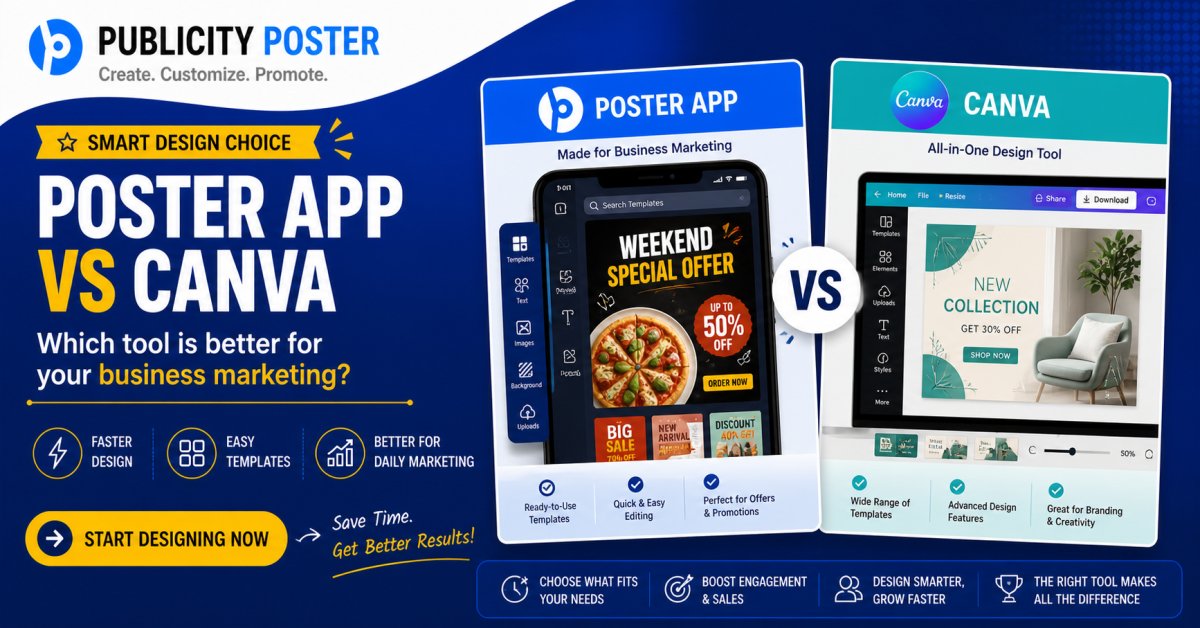
When it comes to designing eye-catching promotional materials, two names often pop up: Publicity Poster and Canva.
Both are design tools that help you create posters, flyers, social media posts, and marketing creatives — without needing a degree in graphic design. But if you’re prepping for an upcoming festival campaign or trying to promote a seasonal sale, which tool gives you the edge?
Let’s break down the features, ease of use, pros and cons, and which tool works better depending on your business goals.
What Are Publicity Poster & Canva?
Publicity Poster is a mobile-first design app focused on small businesses, especially in India and other local markets. It’s known for its ready-made templates that are perfect for festivals, shop openings, and local promotions — think Diwali, Eid, Holi, Christmas sales, or Independence Day events.
Canva, on the other hand, is a global design platform that offers drag-and-drop functionality for everything from social media graphics to presentations and even videos. It’s web-based (with a strong mobile app too) and has a much larger template library for business branding, events, and more.
Publicity Poster vs. Canva: Feature Comparison
| Feature | Publicity Poster | Canva |
|---|---|---|
| Platform | Mobile App (Android/iOS) | Web + Mobile App |
| Target Audience | Local shops, small businesses, festival promotions | Global users, marketers, educators, businesses |
| Template Focus | Festival & religious events, shop banners, daily business posts | All-purpose: marketing, social, business, education |
| Ease of Use | Super simple, plug-and-play | Slightly more advanced, flexible |
| Customization | Limited (edit text/logo, change colors) | High (layers, animations, custom uploads) |
| Language Support | Regional languages (Hindi, Marathi, Tamil, etc.) | Multilingual, but less localized focus |
| Pricing | Mostly free or low-cost subscription | Free plan + Pro version (monthly/yearly fees) |
| Best Use Case | Quick festival posters, shop branding, offline promotion | Versatile branding, social media, digital marketing |
Template & Design Quality
If your goal is to create festival-themed posters fast — say for Diwali, Ganesh Chaturthi, Eid, or a local cultural event — Publicity Poster wins in terms of speed and cultural relevance. The app offers region-specific templates, complete with traditional symbols, slogans, and color schemes.
Canva offers more polished and customizable templates, great for digital campaigns, Instagram reels, professional flyers, or YouTube thumbnails. It also gives you the freedom to resize designs, animate them, or create multi-page documents — which Publicity Poster doesn’t.
User Experience: App vs. Web
Publicity Poster is designed with mobile users in mind. It works great for on-the-go editing — like when a shop owner wants to post a quick Independence Day sale banner on WhatsApp or print a poster in 5 minutes.
Canva works beautifully across devices, but it shines on desktop. If you're designing longer-form content or branding kits, Canva offers a more comfortable, full-screen experience with drag-and-drop tools, layers, grids, and precise alignment tools.
Which One Is Better for Business Promotions?
Choose Publicity Poster If:
-
You run a local shop, coaching class, or small business.
-
You want festival-related content — fast and in regional languages.
-
You don’t want to spend time designing from scratch.
-
You mostly promote via WhatsApp, print posters, or local ads.
Choose Canva If:
-
You’re handling social media marketing, branding, or multi-platform campaigns.
-
You need animated posts, videos, or presentation decks.
-
You want full design flexibility with your own photos, icons, and fonts.
-
You're building a long-term brand with consistent visuals.
Pricing: What Will It Cost You?
-
Publicity Poster offers a basic free version, but many of its best templates are behind a very affordable subscription (often under ₹100/month).
-
Canva has a strong free version with thousands of templates. But to unlock premium features like brand kits, pro templates, and background remover, you’ll need the Pro plan, which starts around $12.99/month.
Final Verdict: Which Tool Should You Use?
Both Publicity Poster and Canva are excellent in their own ways — it just depends on your goals, audience, and time.
If you want quick, ready-to-share festival creatives and you don’t want to spend hours designing, Publicity Poster is your go-to.
If you're managing digital marketing, social media, or long-term branding, then Canva is hands down the better investment.
In fact, many savvy business owners use both tools: Publicity Poster for hyper-local, seasonal promotions — and Canva for broader brand-building content.
TL;DR
-
Publicity Poster = Fast, local, festival-ready designs. Great for print & local reach.
-
Canva = Flexible, professional, and ideal for digital marketing, social media, and branding.
Final Tip: Combine the Power of Both
There’s no rule that says you have to pick just one. Use Publicity Poster to pump out quick festive creatives during peak seasons, and Canva to level up your brand storytelling all year long.
Marketing is all about context — and the right tool at the right time makes all the difference.
What's Your Reaction?
 Like
0
Like
0
 Dislike
0
Dislike
0
 Love
0
Love
0
 Funny
0
Funny
0
 Wow
0
Wow
0
 Sad
0
Sad
0
 Angry
0
Angry
0

Hi, I’m Kalpana 👋 A passionate content writer who loves turning ideas into simple, engaging, and result-driven content. I specialize in creating blog posts, marketing content, and practical guides that help businesses grow and connect with their audience. My focus is always on clarity, value, and writing that actually makes an impact—not just fills space. At Publicity Poster, I write content that helps businesses understand how to promote themselves better, create stunning posters, and grow faster using smart tools. When I’m not writing, I enjoy exploring new ideas, learning about marketing trends, and finding better ways to communicate complex things in simple words. 💡 I believe: Great content is simple, useful, and powerful.


Comments (0)