


Create Professional Posters for School & College Events
Design posters for cultural fests, competitions, and academic events with ease.
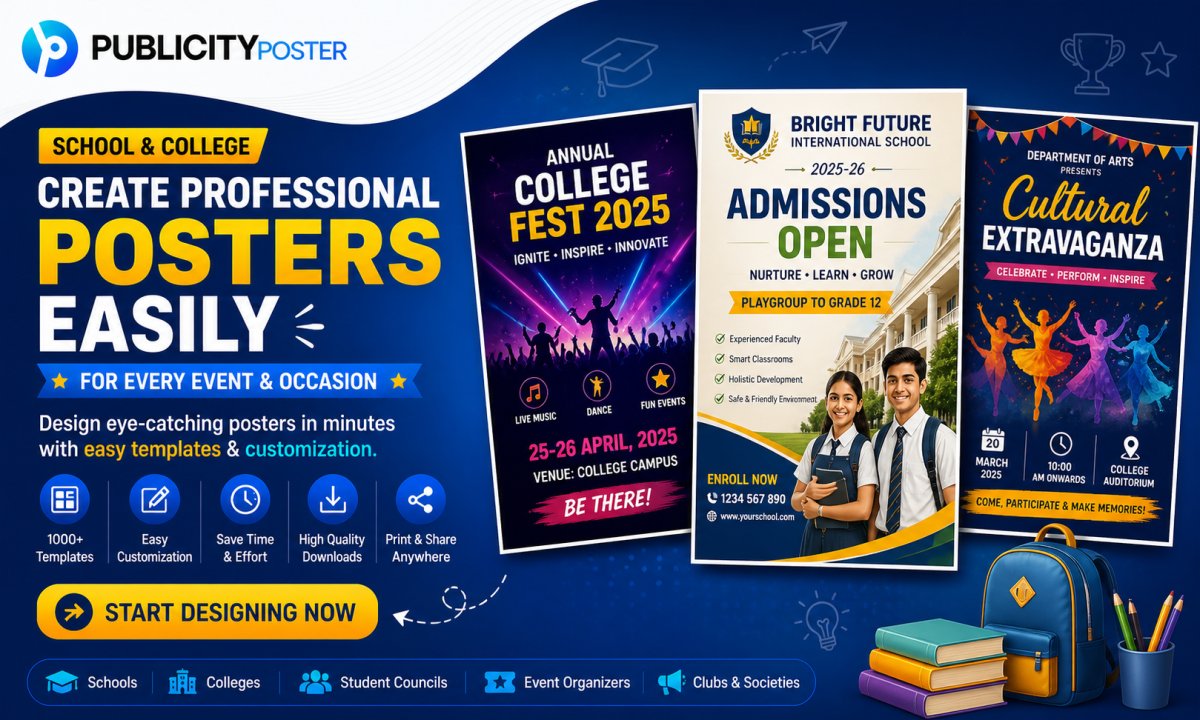
College festivals, school competitions, academic seminars — every event needs a poster that grabs attention, creates excitement, and gets people to show up. But let’s be honest — not everyone has the time (or skills) to create a professional-looking design from scratch.
The good news? You don’t need to be a graphic designer or spend hours figuring out Photoshop. With the right tools and tips, designing event posters can be super easy — and actually fun!
In this blog post, we’ll show you how to quickly design eye-catching posters for cultural fests, inter-school competitions, and academic programs that look like they were made by a pro.
Why Posters Matter for Events
Posters are still one of the most powerful ways to promote events, especially in schools, colleges, universities, and community spaces. Here’s why they work:
-
✅ Instantly grab attention in busy hallways or social media feeds
-
✅ Share key info like date, venue, time, and theme at a glance
-
✅ Set the tone and vibe of the event
-
✅ Spark word-of-mouth buzz among students and attendees
Whether it’s a science fair, dance competition, guest lecture, or cultural night — a strong poster is your first impression.
What Makes a Great Event Poster?
Before you start designing, here’s what you’ll want to include in every poster:
-
🎯 Event Name & Theme – Keep it bold and creative
-
🕒 Date, Time & Venue – Make it easy to spot
-
📝 Call to Action – “Register Now,” “Join Us,” or “Entries Open!”
-
🎤 Highlights – Guest speakers, prizes, performances, etc.
-
📱 Contact Info or QR Code – For registrations or queries
-
🖌️ Design Elements – Use visuals, icons, and color schemes that match the vibe
Tip: Keep it clear, colorful, and uncluttered. You don’t need to overload it with text — the goal is to catch attention and give just enough info to get people interested.
Tools to Design Posters Without Breaking a Sweat
You don’t need fancy software to make stunning posters. Here are some easy-to-use tools you can try:
1. Canva
Canva is a favorite for a reason. It’s beginner-friendly and packed with ready-made templates for college fests, workshops, webinars, and more.
-
Drag-and-drop interface
-
Thousands of free templates
-
Custom fonts, graphics, and animations
-
Great for both print and digital sharing
2. Publicity Poster App
Perfect for school and college-level events, especially in India. You’ll find templates for Hindi/Marathi/Tamil events, Republic Day celebrations, Independence Day fests, etc.
-
Designed for mobile
-
Quick edits
-
Regionally themed content
-
Affordable and beginner-friendly
3. Adobe Express (Formerly Spark)
Good for those who want more control while still keeping it simple. Also supports branded templates if you're creating posters under an institutional brand.
Poster Ideas for Different Types of Events
Whether you’re organizing a fun event or a formal competition, your poster should reflect the mood of the event. Here are a few poster theme ideas:
Cultural Fest Posters
-
Use bright colors, traditional patterns, musical icons, dance silhouettes
-
Include a catchy title like “Utsav 2025” or “Kala Mahotsav”
-
Highlight star attractions: fashion show, DJ night, talent hunt, etc.
Competition Posters (Debates, Quizzes, Sports, etc.)
-
Choose bold, competitive color palettes (reds, blues, blacks)
-
Add a countdown or “Last date to register” to create urgency
-
Include rewards or prizes to draw attention
Academic Event Posters
-
Go for clean and professional designs
-
Include photos of guest speakers or panelists
-
Use formal fonts and a minimalistic color scheme
-
Mention certifications or participation perks, if any
Go Beyond Print: Share Digitally Too!
Once your poster is ready, don’t stop at printing it for notice boards. Share it across:
-
WhatsApp groups
-
College/School social media pages
-
Instagram Stories
-
Event websites
-
Email newsletters
-
Google Forms (linked via QR code)
Pro Tip: Always export your design in high-quality PNG or PDF, and keep a mobile-friendly version ready for sharing.
Final Thoughts: Posters That Perform
You don’t need to spend hours (or a big budget) to design posters that impress. Whether you’re planning a farewell party, a coding competition, or a university seminar, the right design can help you boost attendance, create buzz, and build excitement.
All it takes is a clear layout, smart visuals, and a great tool to put it together.
Quick Recap: Designing Posters Made Easy
-
Use tools like Canva, Publicity Poster, or Adobe Express
-
Focus on key info: event name, time, place, and call to action
-
Match the design with the vibe of the event (fun, formal, cultural)
-
Share your poster both offline and online for max reach
-
Keep it clean, colorful, and clutter-free
What's Your Reaction?
 Like
0
Like
0
 Dislike
0
Dislike
0
 Love
0
Love
0
 Funny
0
Funny
0
 Wow
0
Wow
0
 Sad
0
Sad
0
 Angry
0
Angry
0

Hi, I’m Kalpana 👋 A passionate content writer who loves turning ideas into simple, engaging, and result-driven content. I specialize in creating blog posts, marketing content, and practical guides that help businesses grow and connect with their audience. My focus is always on clarity, value, and writing that actually makes an impact—not just fills space. At Publicity Poster, I write content that helps businesses understand how to promote themselves better, create stunning posters, and grow faster using smart tools. When I’m not writing, I enjoy exploring new ideas, learning about marketing trends, and finding better ways to communicate complex things in simple words. 💡 I believe: Great content is simple, useful, and powerful.
Comments (0)