


How to Make Eye-Catching Flyers With Publicity Poster
Step-by-step guide to creating flyers for shops, events, and promotions.
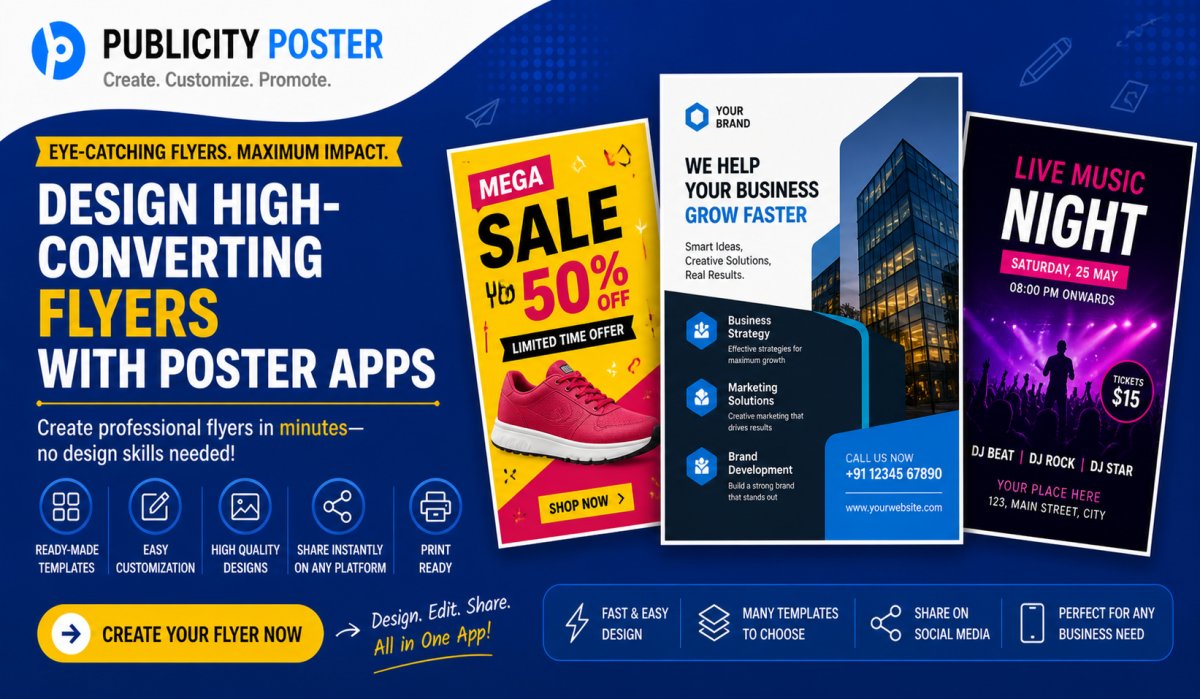
In a digital world overflowing with content, first impressions matter more than ever—especially when you’re trying to grab attention for an event, product, or service.
That’s where flyers step in. Not the old-school paper ones people ignore on the street—modern, visually-striking digital flyers built to catch eyes on WhatsApp, Instagram, Facebook, or even in your inbox.
Enter Publicity Poster—an easy-to-use app that helps you design professional-looking flyers without needing a graphic design degree (or hours of your time). In this blog post, we’ll show you exactly how to use Publicity Poster to make eye-catching flyers that actually get noticed.
But here’s the catch—you only have seconds to impress. So your flyer needs to be eye-catching, clean, and built for scroll-stopping performance.
What Is Publicity Poster?
Publicity Poster is a mobile and web-based graphic design tool made specifically for creating promotional content like flyers, posters, banners, invites, and more.
Unlike complex tools like Photoshop or Illustrator, Publicity Poster is built for non-designers. You get access to:
-
Thousands of editable templates
-
High-quality stock images
-
Fonts, icons, and illustrations
-
Ready-to-share formats for social media
And the best part? You don’t need a laptop—you can make stunning flyers straight from your phone.
How to Make an Eye-Catching Flyer With Publicity Poster
Follow these simple steps to create a flyer that actually gets results:
1. Start With a Clear Purpose
Before you even open the app, ask yourself:
-
What am I promoting?
-
Who is my target audience?
-
Where will I share this flyer?
Whether it’s a flash sale, a DJ night, a workshop, or a product launch, your purpose will guide your design choices.
2. Pick a Template That Matches Your Vibe
Publicity Poster has a wide range of flyer templates categorized by:
-
Industry (fashion, food, fitness, etc.)
-
Event type (party, business, religious, educational)
-
Style (minimal, vibrant, modern, classic)
Choose a layout that aligns with your brand tone or event theme.
Use templates as a starting point—customize them heavily so your flyer doesn’t look like everyone else’s.
3. Use Bold, Legible Fonts
Fonts make or break your design. Choose:
-
Bold headlines that grab attention
-
Readable body text with proper spacing
-
Consistent font pairs that don’t clash
Stick to 2–3 fonts max. Too many fonts = visual chaos.
4. Use High-Quality Images
Whether it’s a product shot, event photo, or stock background, make sure your images are:
-
High-resolution
-
Relevant to your message
-
Properly aligned and not overly cropped
Publicity Poster offers free stock images within the app—so no need to hunt down assets from other sources.
5. Stick to a Color Scheme
Colors set the mood. For example:
-
Red + Black = Bold and powerful
-
Blue + White = Trustworthy and clean
-
Pastels = Soft and inviting
Use the color palette tool in Publicity Poster to apply your brand or theme colors consistently across your flyer.
6. Keep the Message Short & Sweet
Nobody wants to read a paragraph on a flyer. Focus on:
-
The headline (what’s happening?)
-
The date, time, and location
-
A call-to-action (e.g., “Join Us,” “RSVP Now,” “Shop Today”)
Use icons or dividers to organize info visually without cluttering.
7. Add Your Branding
Don’t forget to include:
-
Your logo
-
Website or contact info
-
Social media handles
This ensures people know where to go next—whether it’s visiting your store or following you online.
8. Preview & Export in the Right Format
Once your design looks good:
-
Preview it on mobile and desktop
-
Make sure text isn’t getting cut off
-
Export in HD format for printing or sharing digitally (JPG, PNG, or PDF)
Publicity Poster makes exporting super easy with options optimized for WhatsApp, Instagram, and Facebook dimensions.
Extra Tips to Boost Flyer Engagement
-
Use animation: Motion graphics can make digital flyers pop in stories or reels.
-
Create a flyer series: Use a consistent design theme across multiple posts for better branding.
-
Add QR codes: Link directly to your RSVP form, shop page, or event page.
-
Incorporate trending elements: Emojis, current events, or memes can add relevance (if used tastefully).
With the right tools and a little creativity, making flyers doesn’t have to be hard or time-consuming. Apps like Publicity Poster remove all the heavy lifting so you can focus on what matters—spreading your message.
Whether you’re a small business, freelancer, event organizer, or just someone planning a birthday bash, your flyer is your first impression. Make it count.
And the best part? You can do it all from your phone—no designer needed.
Ready to Design?
Download the Publicity Poster app today and start creating flyers that don’t just look good—they work.
What's Your Reaction?
 Like
0
Like
0
 Dislike
0
Dislike
0
 Love
0
Love
0
 Funny
0
Funny
0
 Wow
0
Wow
0
 Sad
0
Sad
0
 Angry
0
Angry
0

Hi, I’m Kalpana 👋 A passionate content writer who loves turning ideas into simple, engaging, and result-driven content. I specialize in creating blog posts, marketing content, and practical guides that help businesses grow and connect with their audience. My focus is always on clarity, value, and writing that actually makes an impact—not just fills space. At Publicity Poster, I write content that helps businesses understand how to promote themselves better, create stunning posters, and grow faster using smart tools. When I’m not writing, I enjoy exploring new ideas, learning about marketing trends, and finding better ways to communicate complex things in simple words. 💡 I believe: Great content is simple, useful, and powerful.
Comments (0)